
Vintage Finder
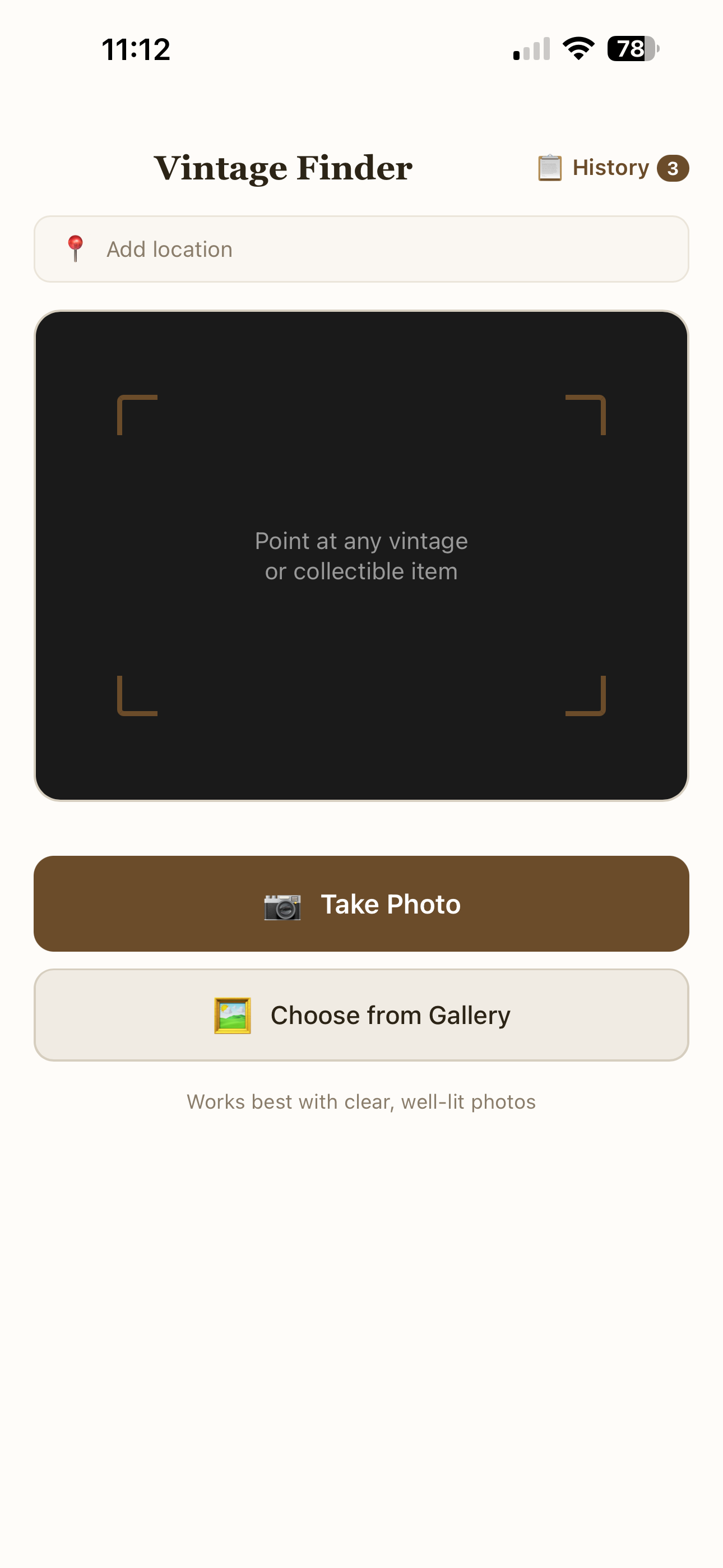
Point your phone at any antique or collectible and get an instant AI-powered ID with garage sale, fair market, and auction pricing.
In TestingWhat it is and why I built it
While cleaning out a storage unit of my mother's belongings, every now and then I'd find something that made me wonder what it was, where it came from, and whether it was worth anything. I would take a photo, upload it to an AI, and type in a prompt to ask for the info. Getting the full picture usually meant asking multiple questions.
That worked fine, but it made me think: it'd be great if I could just take a photo, analyze it, and get back everything I needed without all the extra steps. So I built it.
How it works
The first time you open Vintage Finder, the app walks you through a one-time setup to connect your own free Google AI key. It takes about 60 seconds. The app explains what the key is, opens Google AI Studio for you, and when you switch back with the key copied, it detects it from your clipboard and fills it in. One tap to verify, and you're done. No account to create, no credit card, no subscription. You never have to think about it again.
From there, every time you open the app you go straight to the camera. Point your phone at whatever caught your eye, whether it's a piece of pottery at a garage sale, a mid-century lamp at a thrift store, or a maker's mark on the bottom of a bowl, and tap the shutter button. You can take up to five photos of the same item, from different angles or close-ups of labels and stamps, which helps the AI spot details a single shot might miss.
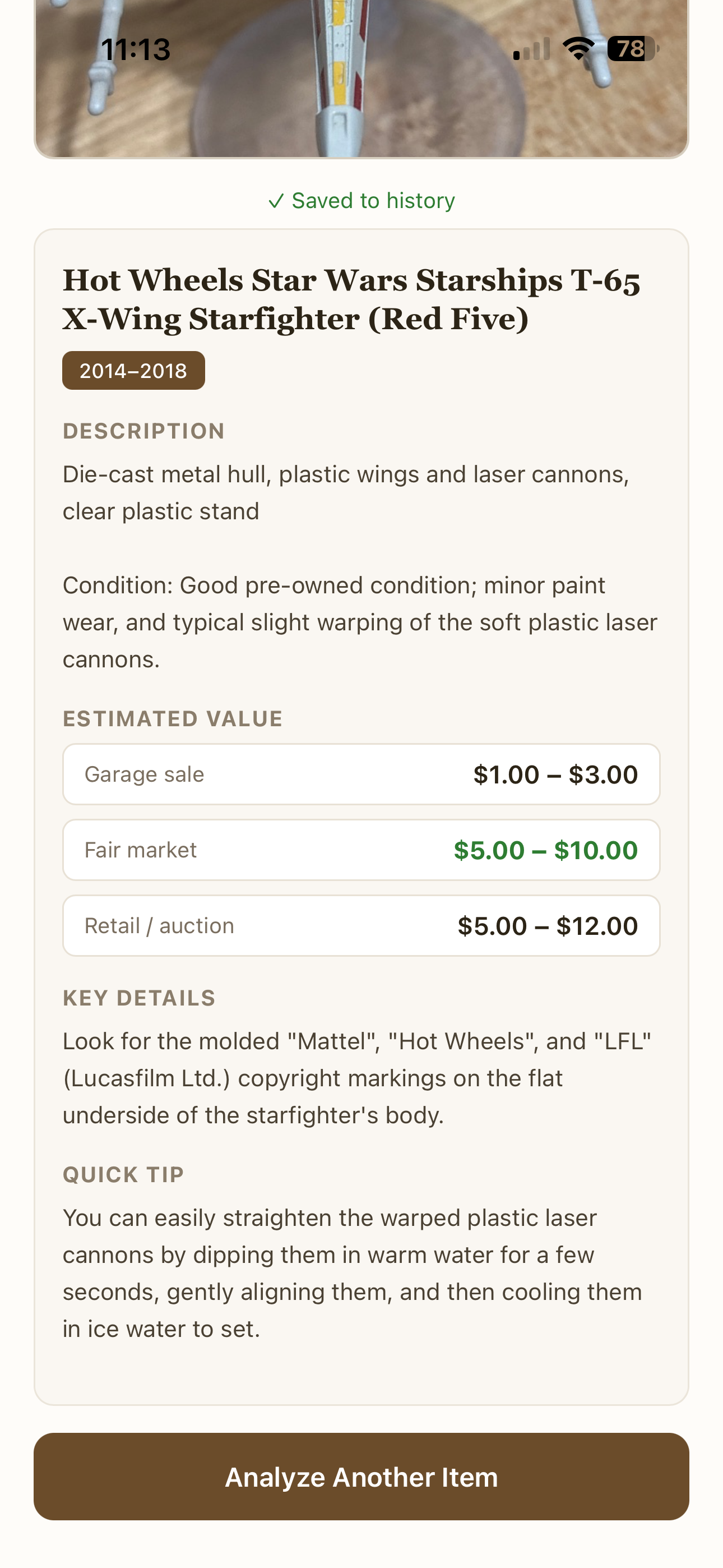
Your photos go to Google's Gemini AI, which acts as an expert appraiser. Within a few seconds, you get back a structured breakdown: what the item is (including brand, style, and type), what era it's from, what it's made of, and observations about its condition based on what's visible in the photo. Then comes the part everyone flips to first: three price tiers.
Garage sale is what you'd reasonably expect to pay, or sell for, at a yard sale or flea market. Fair market value is what the item would go for between a willing buyer and seller who both know what it is, such as on Facebook Marketplace, eBay, or through a dealer. Auction estimate is the high end: what it might fetch at a specialty auction house or a high-end antique shop.
The AI generates these estimates the way a human appraiser would reason through them, by looking at the item's type, age, materials, condition, and rarity. They're informed estimates, not lookup prices from a database, so they're best used as a starting point for your own research rather than a final appraisal.
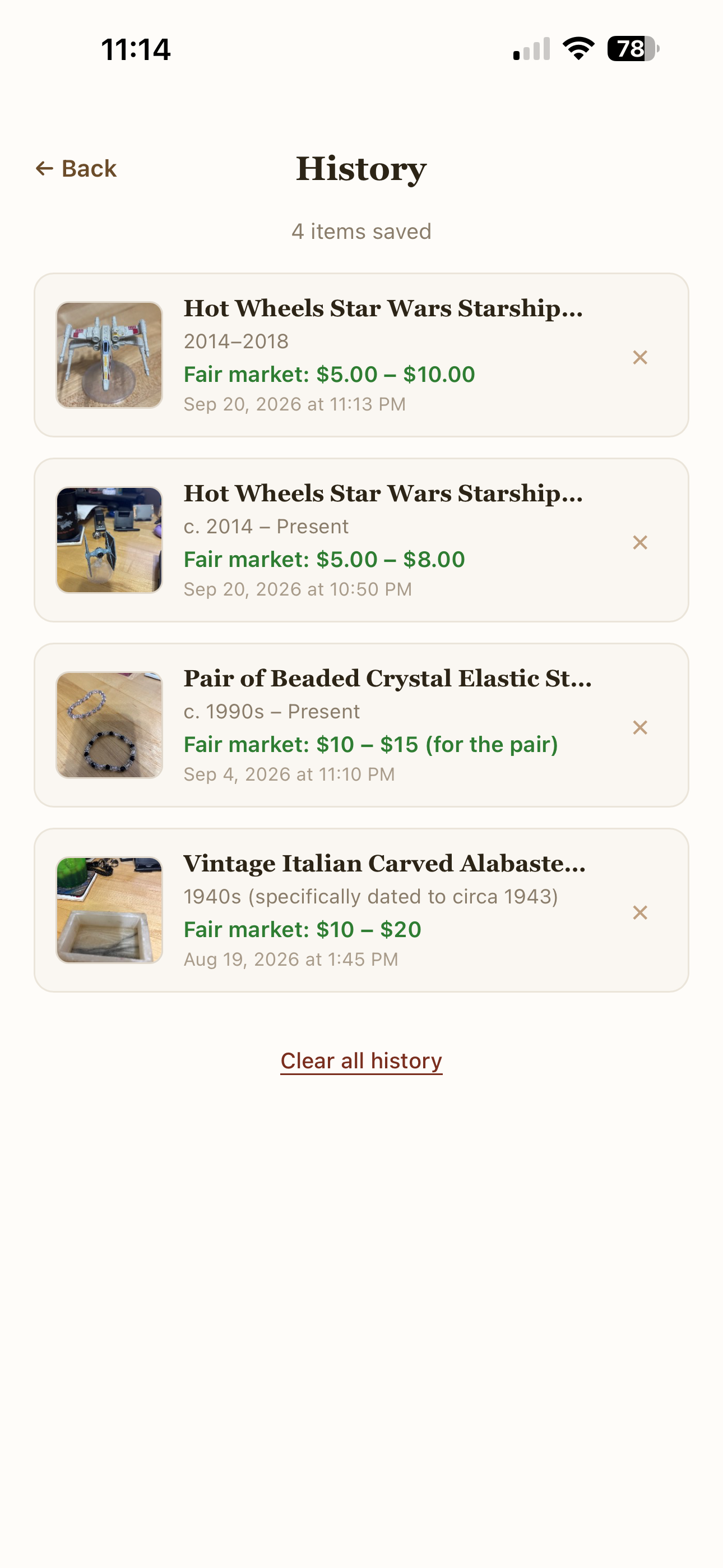
Every scan saves to your history automatically, so you can revisit past finds, compare items from a day of picking, or pull one up to show a friend.
The Analyzing Screen
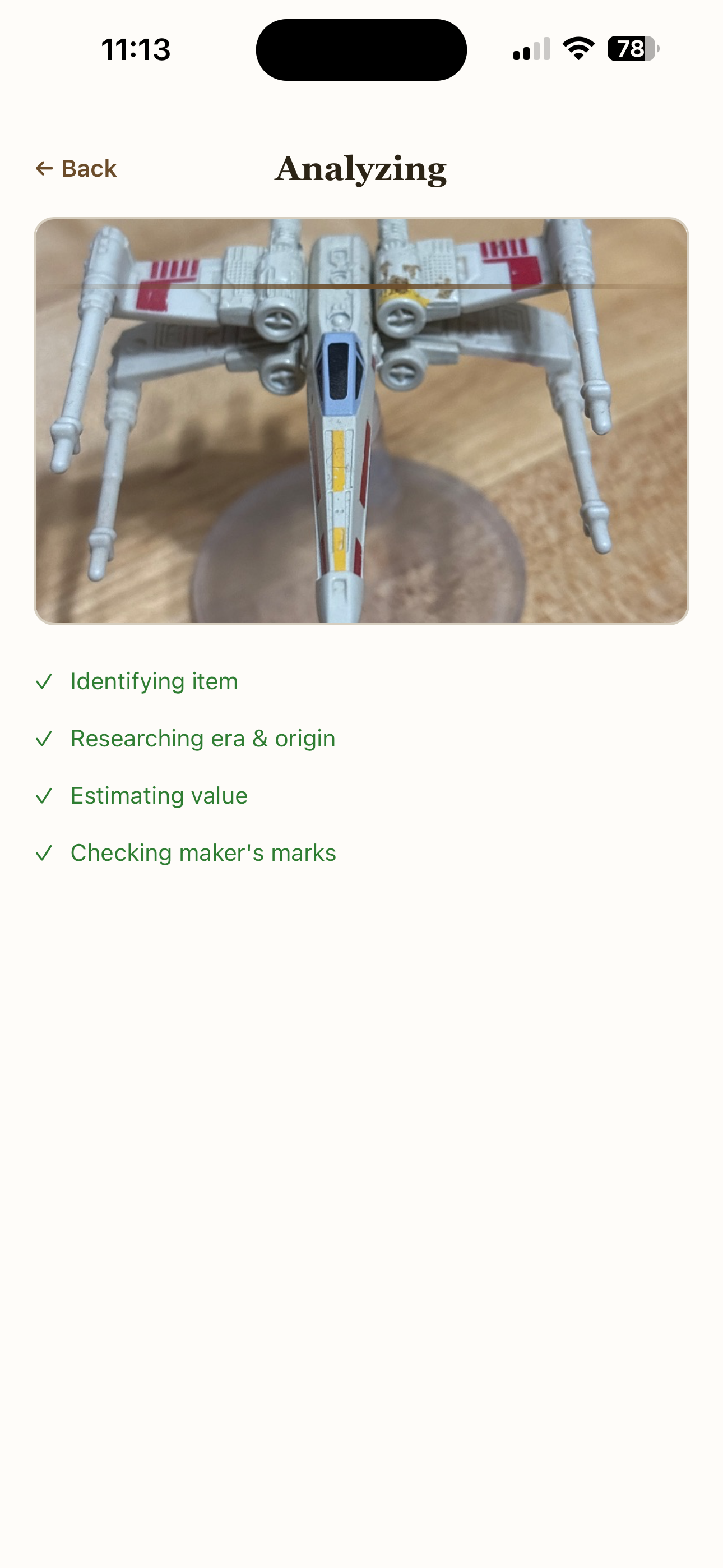
The moment that gets people is the analyzing screen. After you take your photo, a scan line sweeps across the image while four steps animate in sequence: "Identifying item," "Researching era & origin," "Estimating value," and "Checking maker's marks." Each one ticks from waiting to active to done. It only takes a few seconds, but it makes the AI feel like it's actually working through the problem rather than just loading.
Then the result card slides in with the item name, an era badge, and the three-tier pricing. There's a real treasure hunter satisfaction to it, especially when a $3 thrift store find comes back with a fair market value north of $100.
See it in action
What's next
Vintage Finder is currently in testing while I optimize its performance. Once testing is complete, the plan is to prepare it for launch on the app stores.
Tech stack
- Runs entirely on your device. No backend server, no user accounts, no cloud database.
- Photos go straight from your phone to Google's Gemini API using your own free API key, and the result comes straight back. The app has no server of its own. Your key stays on your device and only travels to Google when you scan.
- Progressive web app built as a single HTML file with vanilla JavaScript. No frameworks, no build step.
- Works in any mobile browser and can be added to your home screen to feel like a native app.